EdgeQuake
Graph-RAG in Rust: one binary, one Postgres, any LLM. It reads PDFs and text, builds a knowledge graph in PostgreSQL, and answers questions with sources. Six retrieval modes: naive, local, global, hybrid, mix, and bypass. Apache 2.0.
Six steps. Each step shows the code and the screen that the code changes. The total time is about 15 minutes.
You need Python 3.11 or later. The library uses SQLGlot 30.25.0. No database connection is necessary. The library reads and writes SQL text.
Install the published package with pip, or with uv.
# with pip
pip install edgesql

# with uv, into a project
uv add edgesql

# with uv, into the active environment
uv pip install edgesql
Check the install:
python -c "import edgesql, importlib.metadata as m; print(m.version('edgesql'))"To work on the library itself, clone the repository and install the development extra.
git clone https://github.com/raphaelmansuy/EdgeSQL.git
cd EdgeSQL
python3 -m venv .venv
.venv/bin/pip install -e ".[dev]"
The install adds one dependency, sqlglot==30.25.0. The
optional extra postgres adds pglast for a second
Postgres check. The package page is
pypi.org/project/edgesql.
Name the dialect. The dialect is never guessed.
from edgesql import Query

sql = """
SELECT cust_id, status, amount
FROM sales.orders
WHERE cust_id = 42 AND status = 'paid'
"""

query = Query.parse(sql, dialect="postgres")
print(query.to_sql())
Parse runs seven gates in order: known dialect, non-empty text, one
statement, a SELECT or WITH root, the dialect
rules, and column resolution. The first miss raises. You get a
Query back only when all gates pass.
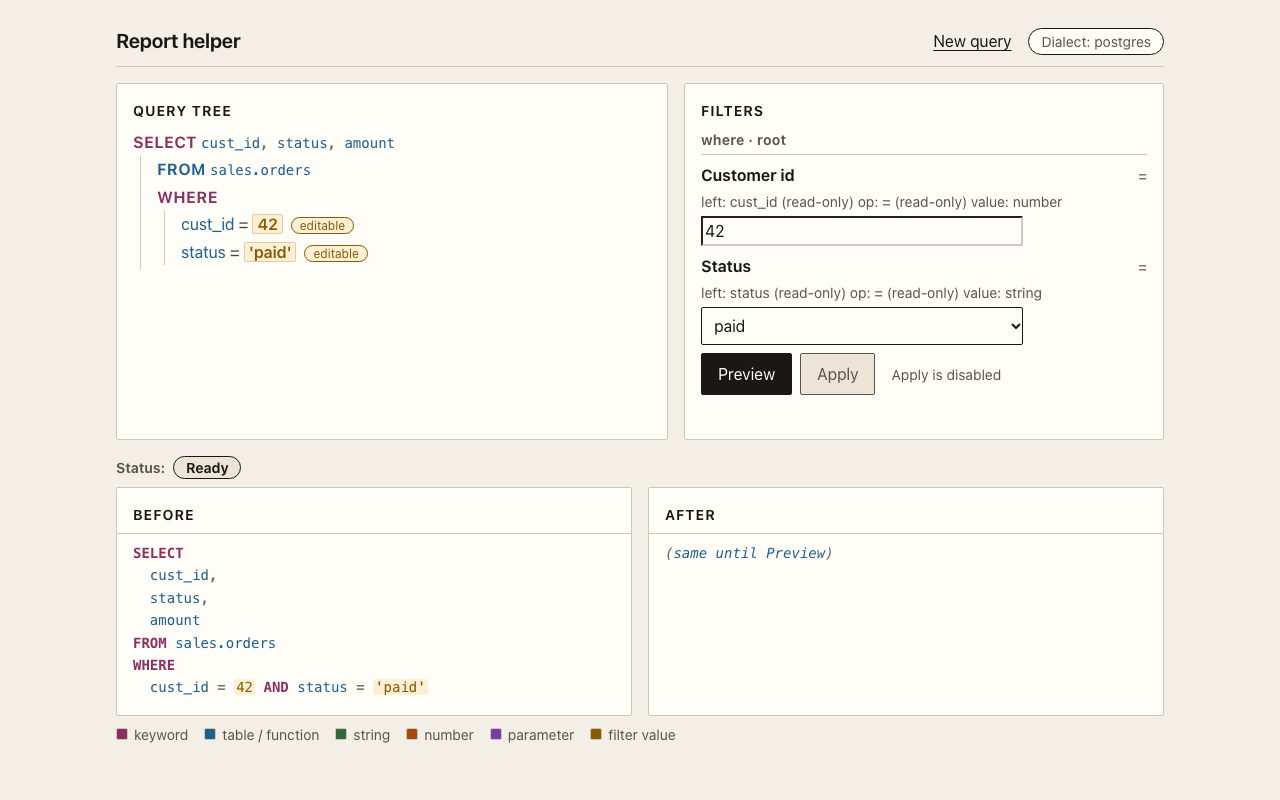
Read the tables, the CTEs, the filters, and the parameters.
print(query.tables())      # ['sales.orders']
print(query.ctes())        # []

for item in query.filters():
    print(item.scope, item.clause, item.op, item.values)
# root where = (42,)
# root where = ('paid',)

for column in query.columns():
    print(column.table, column.name, column.via)
# sales.orders cust_id ()
# sales.orders status ()
A filter reports the physical table it reads and the hop list that reaches it. With a CTE in the path, the hop list is not empty. That is how you know a column passes through a CTE.
A rename is a search transform. It records how many columns it matched. A rename with zero matches does not raise. It makes the preview blocked.
preview = query.preview(
    lambda item: item.rename_column("cust_id", "customer_id", table="sales.orders")
)

print(preview.blocked)          # False
print(preview.collapsed)        # False
print(preview.fingerprint)      # 16 hex characters

applied = preview.apply(actor="builder")
print(applied.to_sql())
# SELECT customer_id AS cust_id, status, amount
# FROM sales.orders
# WHERE customer_id = 42 AND status = 'paid'
The output name stays cust_id because
keep_output_names defaults to true. The original
query is unchanged.
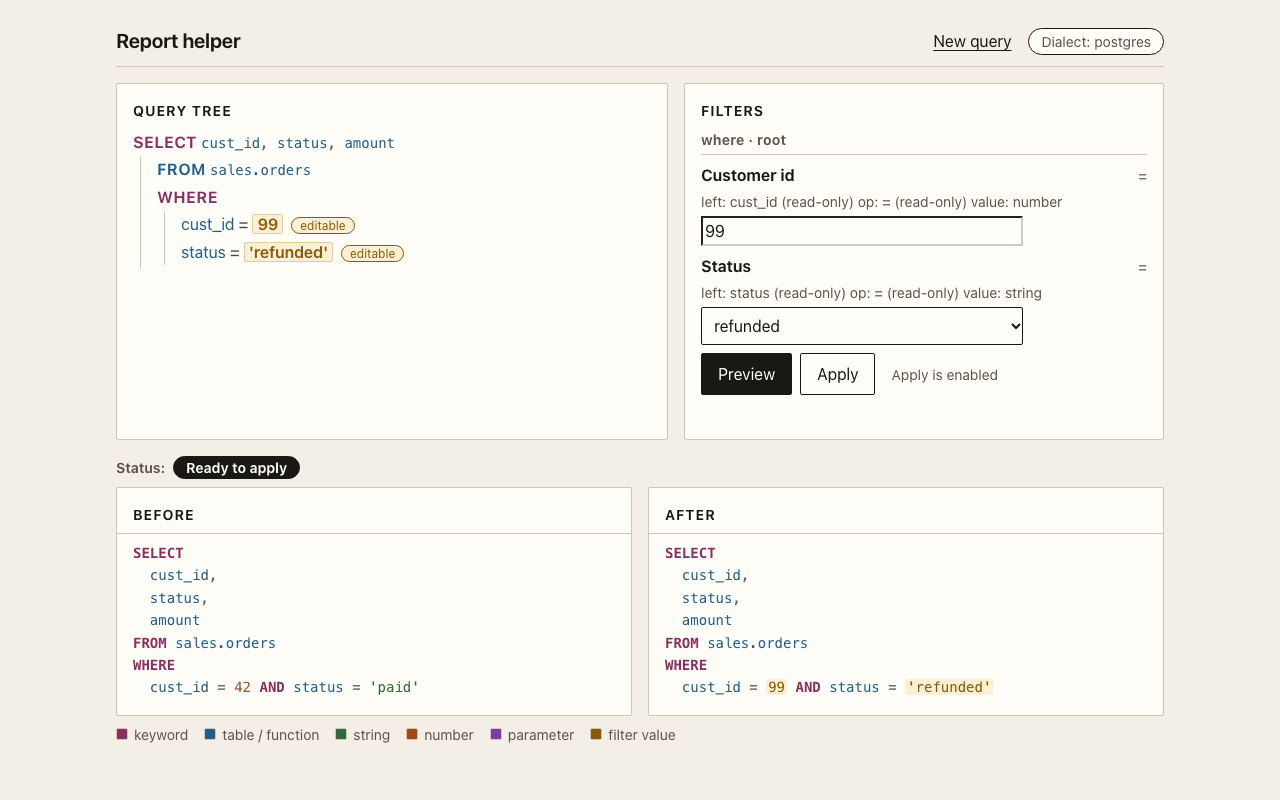
Ready to apply
and Apply is enabled.A value patch is Lane A. It needs a node id from the product IR and it replaces the right-hand value only.
tree = query.to_tree()
print(tree["rootId"])                        # n_select
print(tree["nodes"]["n_cmp_cust_eq"]["right"])  # {'value': 42}

patched = query.set_params([
    {"op": "set_comparison", "nodeId": "n_cmp_cust_eq", "params": {"value": 99}},
])
print(query.preview(lambda _item: patched).apply(actor="reader").to_sql())
# ... WHERE cust_id = 99 AND status = 'paid'
The same lane covers ranges, lists, and limits.
from edgesql import Query

query = Query.parse(
    "SELECT id FROM sales.orders WHERE amount BETWEEN 10 AND 20 AND region IN ('EU', 'US') LIMIT 5",
    dialect="postgres",
)
nodes = query.to_tree()["nodes"]
ids = {node["kind"]: key for key, node in nodes.items() if node["editable"]}

query = query.set_params([{"op": "set_between", "nodeId": ids["Between"], "params": {"low": 30, "high": 90}}])
query = query.set_params([{"op": "set_in_list", "nodeId": ids["InList"], "params": {"values": ["APAC", "LATAM"]}}])
query = query.set_params([{"op": "set_limit", "nodeId": ids["Limit"], "params": {"value": 42}}])
print(query.to_sql())
A patch that sends left, op, column,
or children raises STRUCTURE_PATCH. A patch on a
read-only node raises the same code.
The example app builds its controls from the IR. Start it and open the page.
make dev
# Report helper: http://127.0.0.1:8765
Choose Paste SQL or pick an example, then pick an example. The filter panel fills itself. Change a value, then press Enter or use Preview. Apply stays disabled until a clean preview exists.
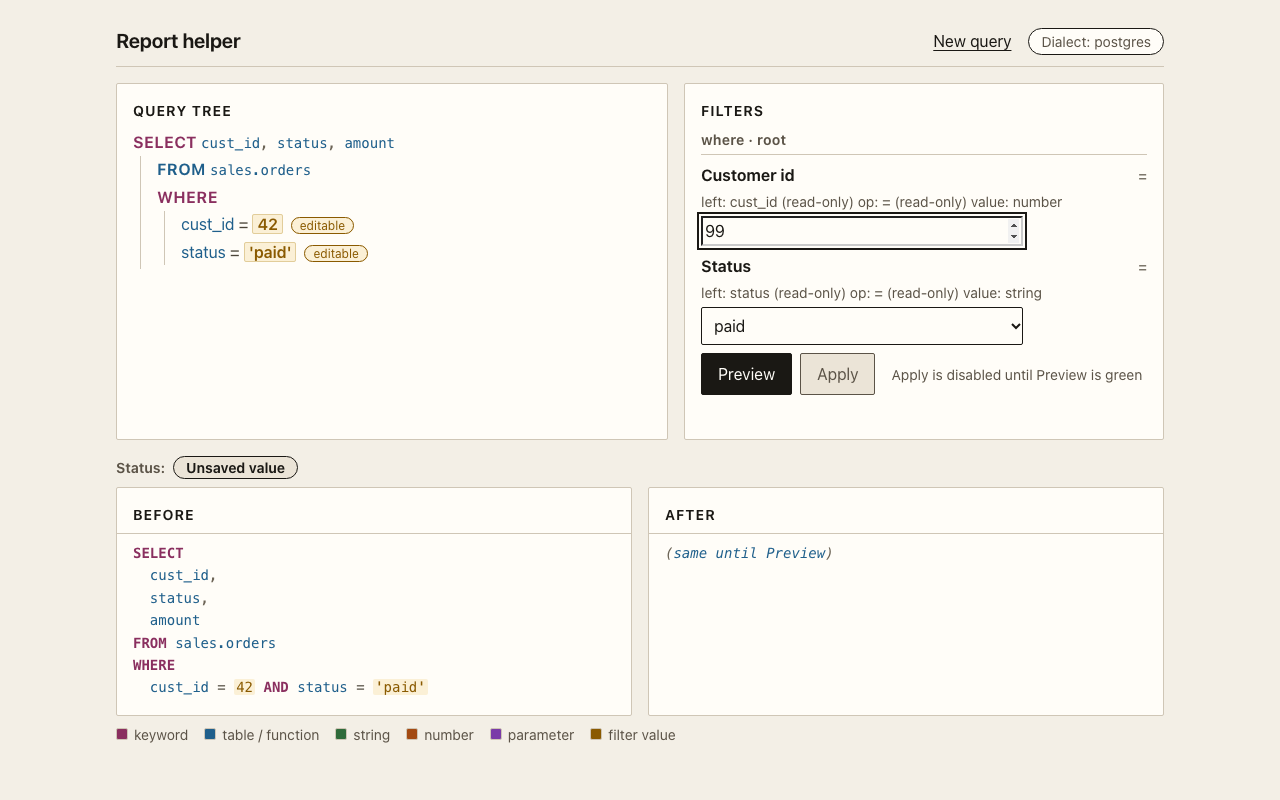
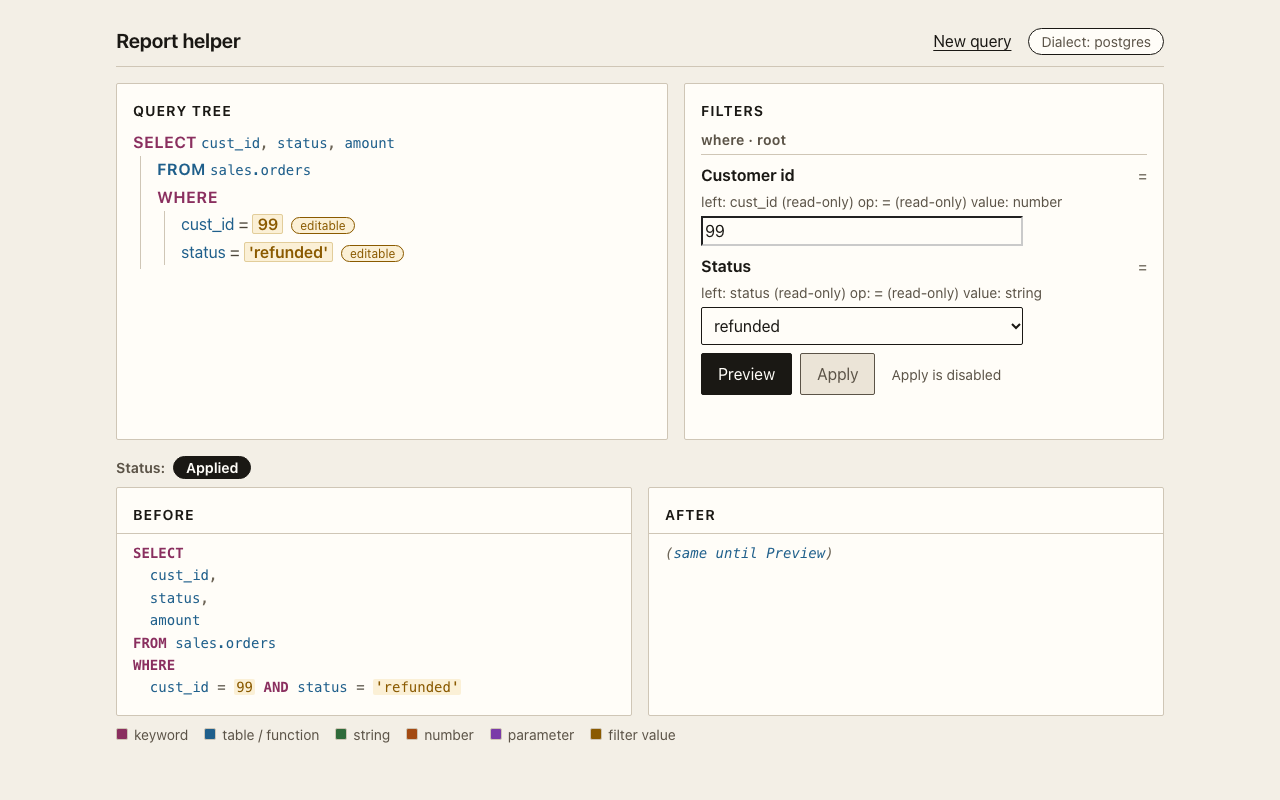
The screen never sends a full tree. It sends one patch per changed
control, with the draft fingerprint in If-Match. A stale
fingerprint returns 409 and the screen shows the error.
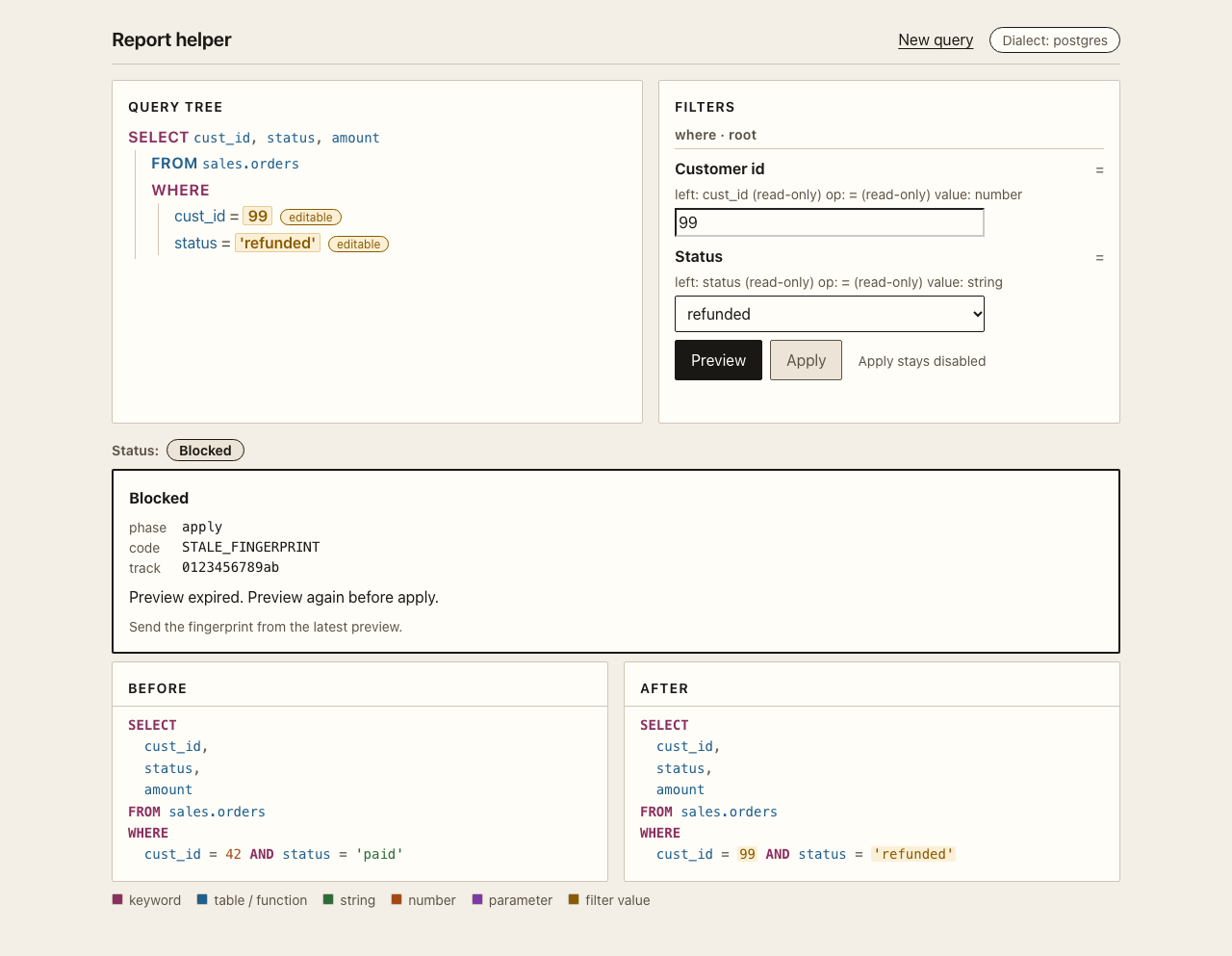
Every error is a SqlCraftError with a phase, a code, and a
hint. Print display() for one line.
from edgesql import Query, SqlCraftError

try:
    Query.parse("DELETE FROM sales.orders", dialect="postgres")
except SqlCraftError as error:
    print(error.display())
    # [parse/UNSUPPORTED_STATEMENT] This statement is DELETE. v1 changes read
    # statements only. Hint: v1 accepts `SELECT` and `WITH ... SELECT`.
    print(error.track_id)   # 12 lowercase hex characters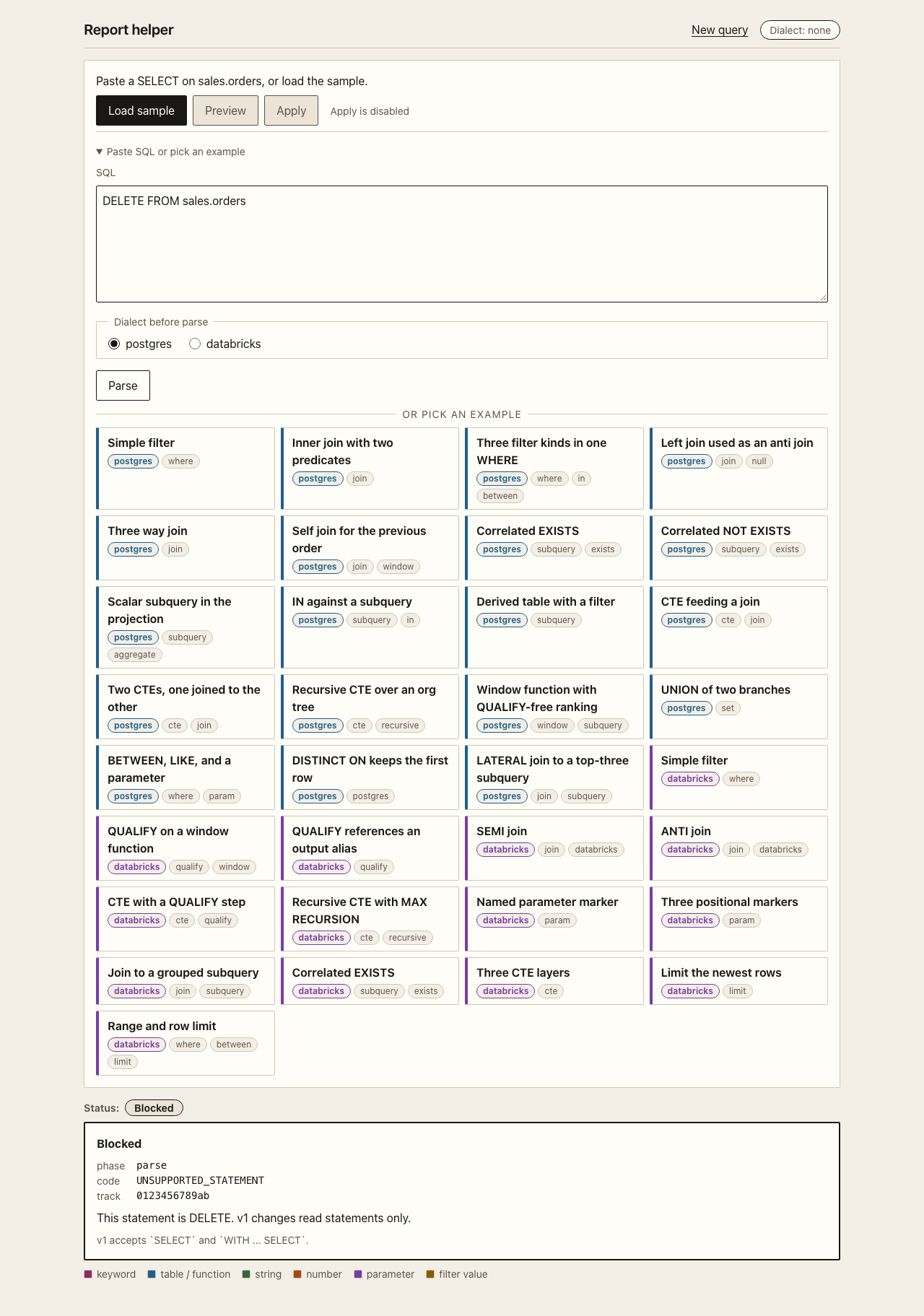
You can now parse, inspect, rename, patch, preview, apply, and handle an error. The examples page has 33 statements that cover the hard shapes. The reference lists every method and every code.

Raphael is a data engineering and AI strategist with more than 20 years of global technology leadership experience. He works on democratizing data management and AI, and helps organizations build scalable data platforms. His work covers resilient data infrastructure, machine learning models, and coaching teams on practice. He leads a startup studio in Hong Kong.
EdgeSQL started from one observation: changing SQL with string replacement breaks as soon as two edits touch the same name. A typed tree with a preview gate is the smallest honest fix, so he built it and tested it against the official Postgres and Databricks statements.
Favikon ranks Raphael at 12 in Top 20 AI Experts in France in 2026, with a Favikon Authority Score of 7,012 points. The list covers the most visible AI practitioners in France. The entry cites his 20 years of data and AI leadership, his work on scalable data platforms, and the startup studio he leads in Hong Kong.
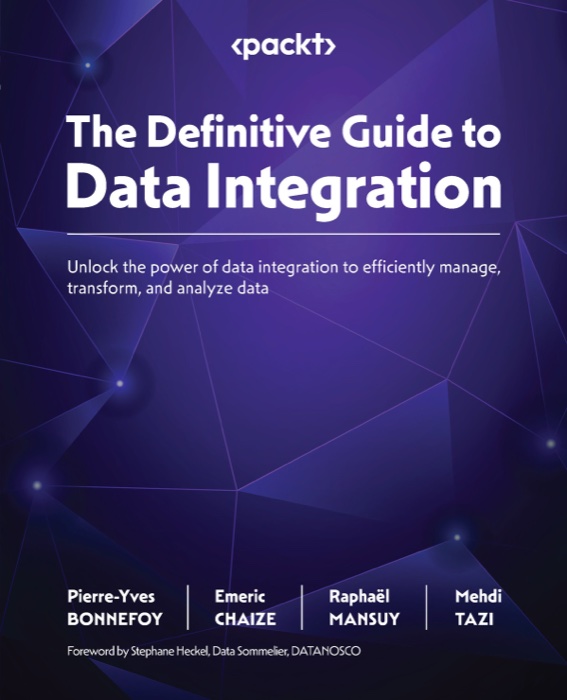
Unlock the power of data integration to efficiently manage, transform, and analyze data. Raphael is a co-author with Pierre-Yves Bonnefoy, Emeric Chaize, Mehdi Tazi, and Stephane Heckel.
Graph-RAG in Rust: one binary, one Postgres, any LLM. It reads PDFs and text, builds a knowledge graph in PostgreSQL, and answers questions with sources. Six retrieval modes: naive, local, global, hybrid, mix, and bypass. Apache 2.0.
A personal and coding SuperAgent in one native Rust binary, with a
ratatui terminal UI and a ReAct tool loop. It supports 24 LLM providers and
17 messaging gateways. Install with npm install -g edgecrab-cli,
pip install edgecrab-cli, or cargo install edgecrab-cli.

Voice dictation for macOS, powered by Voxtral from Mistral AI. It runs fully on the device, with no cloud and no data collection. It supports 13 languages, an Apple Silicon Mac, and macOS 14 or later.
Building something with SQL? Tell Raphael about it.
Connect on LinkedIn